

.svg)
Rellify Blog
Curating the best ideas from Rellifiers!

How Enterprise AI Outperforms Large Language Models for Marketing
By Jayne Schultheis - Although the concept of "artificial intelligence" is at least as old as the Turing machine, which dates back to the 1930s, it became a household term only with the launch of ChatGPT in 2022. OpenAI made the ingenious move of giving this complex technology a simple, conversational user interface and presenting it free to all. That brought generative AI and large language models (LLMs) into focus for the general public.
The ease of use and the results of ChatGPT excited and fascinated the masses as well as business professionals. If you ask ChatGPT what it can be used for, the engine suggests the following activities: content generation, answering questions, text summarization, translations, programming and coding, educational support, idea generation, communication and dialog, text analysis, entertainment.*
Apparently ChatGPT's a know-it-all in the field of speech-related tasks. No wonder that marketers, whose business it is to develop stories and distribute them to audiences, have pounced on the free tool. In fact, 14% of respondents to a recent McKinsey study said their organizations now use generative AI for marketing and sales. They use AI tools like ChatGPT to write blog articles and social media posts, develop content strategies, create cover letters and more.
But the hype around the LLM as a magic bullet has died down a bit. A more refined application, enterprise AI, is gaining ground. The more content LLMs developed, the more obvious its weaknesses have become. Many companies now prohibit the use of ChatGPT for corporate purposes. A consensus is spreading that the supposedly "all-knowing" ChatGPT, its competitor Google Bard and others like them could seriously harm companies if used improperly.
Even in the AI industry, the realization has spread. The German magazine Der Spiegel published an article in 2023 declaring that "OpenAI will not dominate the AI era." According to Der Spiegel, Sam Altman, OpenAI CEO, believes that we have "reached the end of the era of these gigantic models." It's no wonder, then, that the trend is growing to develop smaller, specialized models — in other words, to offer "bespoke suits" rather than "off-the-rack" solutions.
One form of these "bespoke suits" are enterprise AIs, such as Rellify's Relliverse™. Before examining enterprise AI in depth, let's take a closer look at large language models as well as their weaknesses and the risks they can present.
What Is a Large Language Model?
ChatGPT can answer this question, too: A large language model (LLM) is an advanced type of artificial intelligence model designed to understand and generate human-like text in natural language. These models are based on deep neural networks and are trained on vast amounts of text data to perform various language-related tasks. One of the most well-known examples of a large language model is GPT-3 (Generative Pre-trained Transformer 3), developed by OpenAI. ... Large language models such as GPT-3 are prevalent in various fields, including machine translation, text summarization, text classification, chatbots, and even creative content generation. However, they are also the subject of ethical and societal discussions due to their text generation and manipulation capabilities, which can potentially be misused.*
So ChatGPT, using LLM, offers a relatively superficial statement about a matter that in reality is deeply complex. One thing is immediately apparent: LLMs' great weakness is triviality (the answer borders on the banal) while it also seems to have supreme self-confidence (the answer is simultaneously exhaustive).

Weaknesses and Risks of LLMs
First, consider that LLMs have no understanding of language in the strict sense, nor do they have any notion of true and false. All the output of an LLM is merely the "most likely" string of words that would follow the prompt (the query or task) entered. The brilliance of the programmers who create these models and the vast amount of data that LLMs incorporate — 1 trillion parameters for ChatGPT-4 — can produce valuable results. They can give the impression that the machine somehow understands the prompt and responds to it within proper context and with a reliable degree of authority or authenticity. In fact, this is not the case. The process has its flaws.
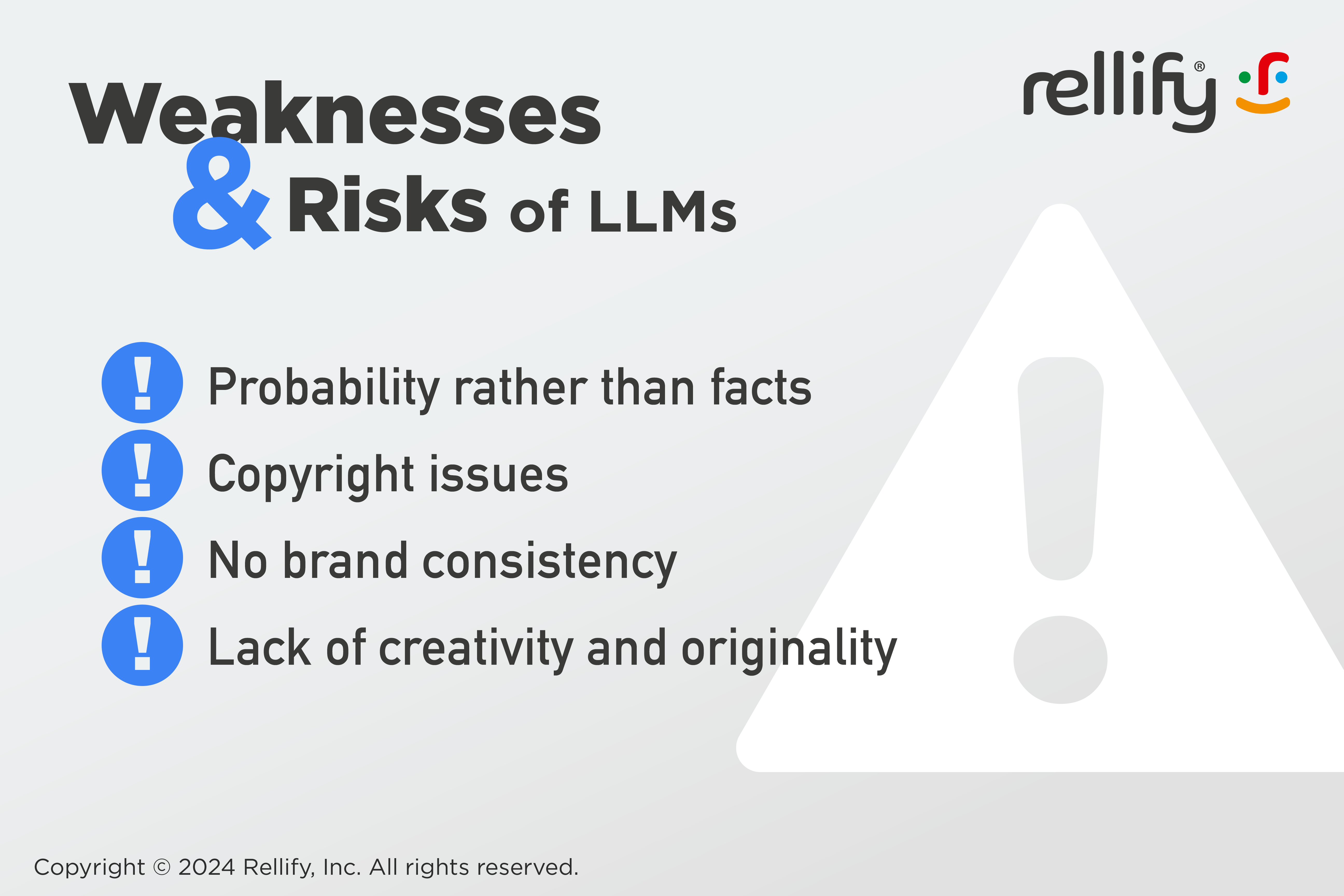
Probability rather than facts
Put simply, an LLM responds to a query with a string of characters that, according to its analysis of billions of "events," would most often follow the input string (the query). In addition, the underlying data is typically not up to date. In the case of ChatGPT-3, the LLM considers data up to 2021, meaning that the engine has little to nothing to say about topics that appeared on the web after that date. ChatGPT-4 was upgraded to include more up-to-date information.
Granted, that doesn't mean the answers of an LLM are always wrong or only randomly correct. Quite the contrary: Due to the large amount of available data, they are absolutely correct in perhaps the majority of cases. However, the issue that makes companies quite uncomfortable is that they do not know when the machine is right and when it is wrong. In principle, it is necessary to check every statement.
Another issue is that the machine inevitably adopts the tendencies, or leanings, of the material on which it's based. Thus, it may well happen that ChatGPT returns a politically incorrect statement because there is predominantly politically incorrect content in its dataset on this topic. This can quickly bring trouble to companies if they publish such statements.
Copyright issues
Another concern relates to intellectual property. What if ChatGPT provides content that is copyrighted? That exposes the user to the risk of legal disputes — and dozens are already pending against OpenAI and other LLM-providers in the U.S.
No brand consistency
LLMs do not recognize the values and other attributes of the organizations using them and consequently cannot reflect them in brand-specific content.
Lack of creativity and originality
Last but not least, Large Language Models are structurally not creative. ChatGPT says of itself that it would be well suited for idea generation. But the ideas it presents are merely a systematic rehash of existing approaches in its database and therefore not very original. For example, if you ask ChatGPT what to write about on a particular topic, you'll receive very generic suggestions that you likely could have thought of yourself.
In short: Companies can't simply create content with ChatGPT and then use it unchecked. At the very least, companies must define a quality assurance process and act on it. As reliance on AI grows, human discernment and editorial diligence will become more important than ever.
Ways out of the LLM Problem
If you realize that as a company you can't blindly use ChatGPT and other LLMs in many applications, you're left with three strategic options:
"Pimp my ride"
Companies use refined tools to create prompts for LLMs. This way, they get better results that can also reflect their brand language, but the quality of the results remains dependent on those closed LLMs and the constant fine-tuning of their prompts. Also, they need a dedicated prompt engineer, to be funded by their budget.
Do it yourself
Companies develop their own in-house AI, i.e. with open-source models. If they buy and analyze the right data, it will be more relevant and the corresponding responses should be more accurate. Of course to do this they need a professional AI department, a resilient budget, and the ability to manage a large IT project and lead it to success. For most companies, this is simply not feasible.
Enterprise AI (AI-as-a-Service)
Enterprises purchase a proprietary, topic-specific AI developed especially for them, such as Rellify's Relliverse™. Based on well-defined, relevant and always up-to-date data, customers acquire an exclusive, bespoke solution, with full access and control.
What Differentiates an Enterprise AI From an LLM?
The most important difference between a topic-specific AI like the Relliverse™ and the big, closed LLMs like ChatGPT stems from the underlying data. Unlike the catch-all generic-data mishmash of the big LLMs, the data for a Relliverse™ is curated individually for each customer using crawlers and machine learning. The system crawls the URLs of the client company and its competitors and uses its patent-pending deep machine learning to analyze vast amounts of related documents.
This identifies tens of thousands of keywords and phrases, as well as millions of connections between them. All relevant search terms are then assigned. Then the AI clusters the data by main topics, level-1 subtopics, level-2 subtopics and level-3 subtopics, taking into account millions of data points and conducting a depth of analysis that no human team could possibly do.
The results of this process are made available in the browser-based Rellify Content Intelligence application. There you can see at a glance all the topics the AI analysis deems of strategic importance and which, if processed appropriately, will help secure topic authority and generate organic traffic. The creation of content based on the content intelligence provided by the Relliverse™ then takes place within the same application in a continuous process guided and supported by AI.
Advantages of an Enterprise AI-as-a-Service
The advantage of a Relliverse™ lies in the underlying data. Since the system is based exclusively on content that is strategically relevant to the topics of the commissioning company, a true subject-matter expert AI is created. Its users can understand their own content and that of their competitors like never before. They also can see their content market shares and visibility at a glance and always know what to write about and why — without having to perform constant tedious analyses.
In addition, AI helps in the guided writing process of the Content Intelligence application. In the first step, users can see at a glance the strategic topics to pursue based on the findings of the Relliverse™. Once a topic has been selected, the editor or writer can manually compose the article structure using easy, intuitive drag-and-drop functionality. Or, with one click, they can let the AI develop an article outline based on the selected topic and the assigned keywords.
When writing the article itself, the author has the option to have the entire article created automatically or have one or more paragraph(s) auto-generated for each heading or subhead. This is where another critical competitive advantage of a Relliverse™ becomes apparent: In the automated AI content generation, the LLM behind it (currently GPT-4) gets fed with prompts for which the entire brief — content structure, keywords, questions, etc. — is taken into account. This means that the LLM receives a customer-specific optimized prompt with the exact relevant inputs for the text to be generated. Rellify's approach guarantees maximum quality of its output.
To stick with the analogy used at the beginning, it can also be said that a proprietary enterprise AI-as-a-service is a perfect fit —like a bespoke suit. It reflects the client's personality and represents the organization with a level of authority and professionalism that evokes confidence within the market. Put simply, it makes the wearer look better overall than rivals that use an off-the-rack LLM. And that's a real competitive advantage in a marketplace where large language models are churning out content at a record pace, all vying for the same readers.
*text is quoted from ChatGPT


HTTP Errors and Beyond: Understanding the Basics of URL Issues
By Nora Firestone - In this final part of our 4-part series on URLs, we'll give you a broad overview of common URL errors — called HTTP errors —and how to troubleshoot them.
Part One:Unlocking the Power of URLs in SEO
art Two:Creating SEO-Friendly URL Structures
Part Three:Understanding and Implementing URL Redirects
Part Four: Troubleshooting Common URL Issues: HTTP Errors
HTTP errors: The role of 404
Quite a few steps occur when you type a domain name into a web browser, hit enter and get the web page you want. Part of the complication arises because computer networks use numbers to identify web pages — something like 111.22.33.444. Those numbers represent an IP address, short for Internet Protocol address. However, it's hard for people to remember strings of numbers, so we use domain names, like rellify.com. To bridge that gap, there is the Domain Name System (DNS), which centers around a database that matches domain names and IP addresses.
Here's a simplified version of what happens when you type a domain name into a browser and hit enter:
- The browser asks the DNS for the corresponding IP address.
- When the browser gets the address, it sends an HTTP (Hypertext Transfer Protocol) request to the website. (HTTP is an internet protocol that allows servers and clients, such as web browsers, to communicate.)
- A server for the website, or IP address, sends the browser the data needed to present the site on your laptop or smartphone.
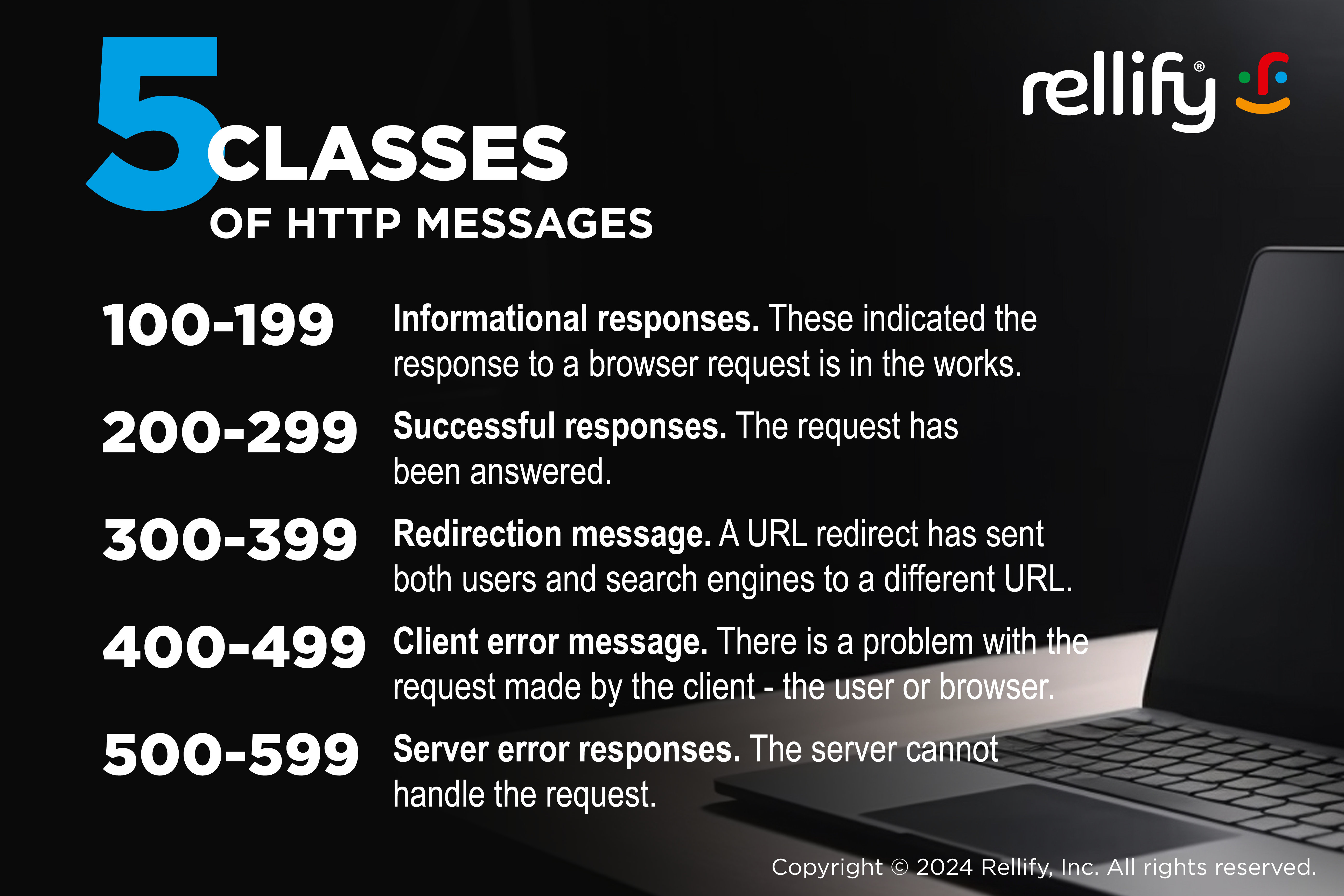
During this process, there are five classes of HTTP messages, grouped according to the type of response and numbered accordingly, that may be sent:
- Informational responses (100 – 199). These indicated the response to a browser request is in the works.
- Successful responses (200 – 299). The request has been answered.
- Redirection messages (300 – 399). A URL redirect has sent both users and search engines to a different URL than the one they originally sought.
- Client error responses (400 – 499). There is problem with the request made by the client — the user or browser.
- Server error responses (500 – 599). The server cannot handle the request.

404 errors
The most common problem that occurs, and the message that users most often see, is a 404 error. It means the domain name or URL can't be located, usually because it doesn't exist. Here are the common reasons for a "404 Not Found" response:
- The website's owner or administrator deleted the page.
- The page was renamed but the links to it were not updated.
- The page is under construction, was never created or is temporarily unavailable due to maintenance or technical issues.
- The user's network or firewall settings are blocking the page.
- The user does not have the clearance needed to access a restricted page.
Broken URLs and their subsequent 404 errors often occur when website content is removed, reorganized or renamed.
Website administrators can customize the appearance of 404 error pages to provide additional information to users, suggest navigation options, or display a search bar. Users also can try some basic techniques to correct the problem, such as:
- Refresh the page, which might fix a temporary issue.
- Check to see if you typed the URL incorrectly.
- Try accessing the URL from a different device. If that works, the problem might be in your browser cache and/or cookies. Clear them and see if that fixes the problem.
- Turn off your browser extensions. They might be interacting with cookies on the site you want. After turning them off, refresh the page to see if it works.
- You might be trying to upload data beyond the limit of the target website. Test this possibility by trying to send a much smaller file. If that works, you might have to compress the file to send it successfully.
How 404 errors impact SEO
When search engines like Google encounter 404 errors, they note that the content is not available. If a significant number of pages on a website result in 404 errors, it can hurt the SEO performance of the site. Search engines may interpret this as poor website maintenance or outdated content. It means that the content is less likely to rank well in search engine results.
Site administrators who handle 404 errors properly can help search engines avoid indexing duplicate or irrelevant content, contributing to better search rankings. They can use Google Search Console, Google Analytics or crawling software to 404 errors.
Troubleshooting through maintenance and cleanup
Regularly identifying and fixing broken URLs is part of website maintenance. It helps provide a positive user experience, prevents negative SEO consequences, and maintains accurate and up-to-date content.
To address broken URLs and mitigate "404 Not Found" errors, website administrators can implement strategies like setting up proper redirects (e.g., 301 redirects) for moved or renamed content, customizing informative 404 error pages, and regularly auditing and updating website links.
DNS problems
Problems with your DNS settings can cause HTTP errors, and you get a “DNS server not responding" message.
Sometimes, local DNS data sometimes becomes out-of-date or gets corrupted. Or, you might be using an out-dated browser. In this case, you need merely to try a different browser or update the one you are using. However, you might need to clear your DNS cache.
Duplicate content causing URL issues
Duplicate content poses a significant challenge in URL management and SEO, potentially leading to issues such as diluted search rankings and confusion for search engines in determining the most relevant content.
This problem often arises when identical or substantially similar content exists under different URLs, creating a dilemma for search engines in determining which version to prioritize.
To address duplicate content issues, website administrators can implement canonicalization techniques, such as using canonical tags, to specify the preferred URL version for indexing. Additionally, setting up 301 redirects from duplicate URLs to the canonical version consolidates the content signals and prevents search engines from indexing multiple versions.
Regularly auditing and resolving duplicate content issues is crucial for maintaining a healthy SEO profile and ensuring that search engines accurately rank and display the most relevant content.
Use URLs to Boost Your SEO Power
The power of URLs in the realm of SEO is often underestimated. As we've explored in our series, URLs are far more than mere web addresses — they're critical tools in:
- Structuring a site
- Enhancing user experience
- Guiding search engine indexing
- Bolstering page authority
A functional, optimized URL's role in SEO extends from the straightforwardness of site navigation to the complexities of link equity and keyword optimization. It's all a part of the broader SEO puzzle.
If you have questions or concerns about the performance of your website and your ability to generate leads and convert customers, contact Rellify. Try our Article Intelligence application for 30 days — no risk and no charge. We combine human expertise and AI to accelerate and improve the quality of your content creation.
Understanding URL Redirects: A Comprehensive Guide
By Dan Duke - This is the third part in our 4-part series on URLs and their relationship with search engine optimization. In this section, we’ll look at URL redirects — an important tool for maintaining the quality of a website and implementing an SEO strategy.
Part One: Unlocking the Power of URLs in SEO
Part Two: Creating SEO-Friendly URL Structures
Part Three: Understanding and Implementing URL Redirects
Part Four: Troubleshooting Common URL Issues
If you've ever clicked on a link and, to your surprise, it takes you to a different page than you were expecting, then you've experienced a URL redirect at work. But why do they exist and what exactly is their role in SEO? Let's take a look at this type of URL function and how to use it most effectively.
Defining URL redirects
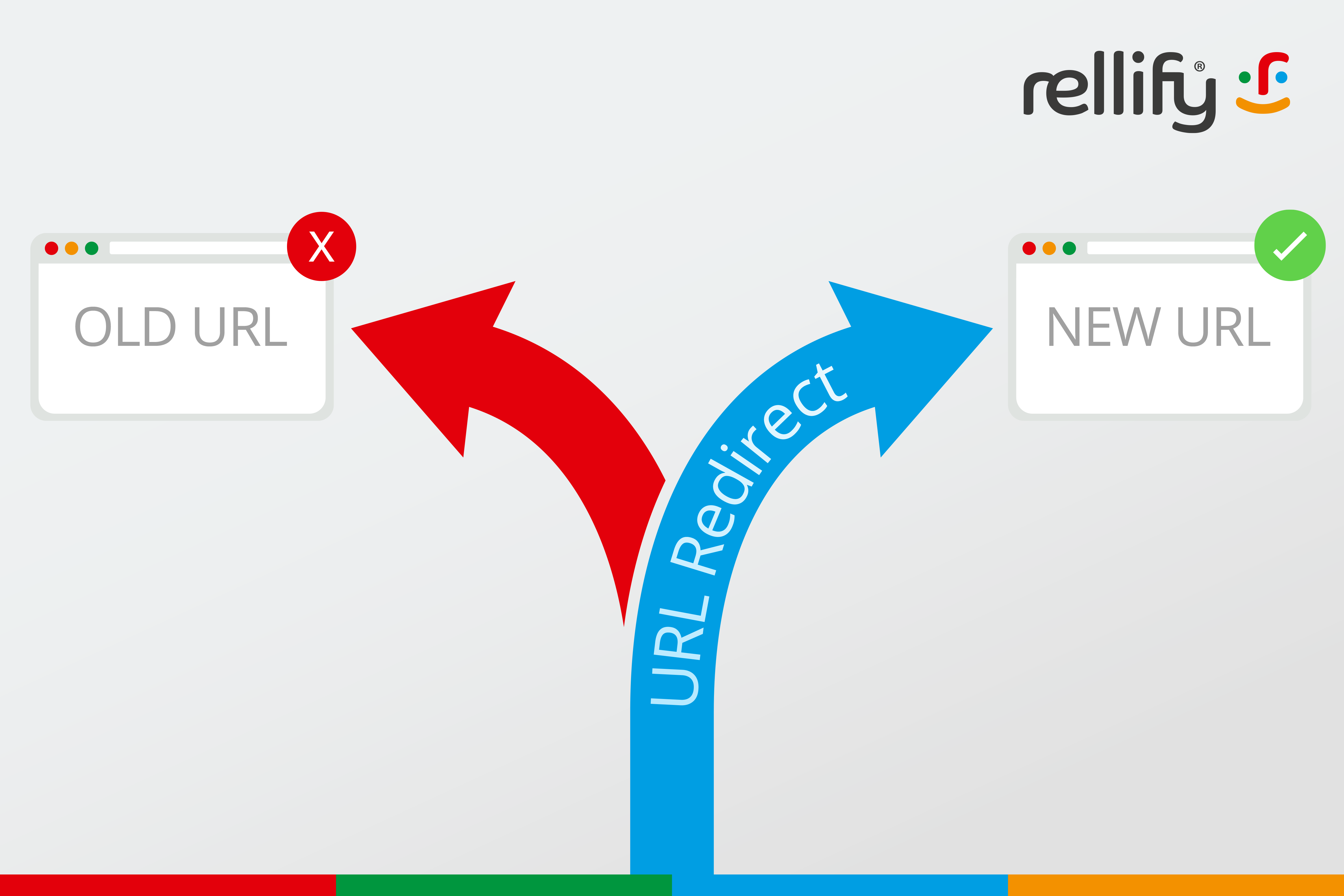
URL redirects send both users and search engines to a different URL than the one they originally sought.
The primary purpose of a URL redirect is to connect one URL with another. This means that when anyone types in or clicks on the original URL (or a link leading to it), they are automatically taken to a different URL in their web browser.
There are several uses for and benefits from URL redirects. For example, with a site migration, you want to keep all the existing traction and site traffic you have. Redirects help you to maintain that traffic by sending readers to useful, relevant content. But we'll get into all the reasons you might need a URL redirect below.
What are the different kinds of URL redirects?
Let's look at the five most common types of URL redirects and their functions.
- 301 redirect. Known as a permanent redirect, it passes between 90-99% of link equity (ranking power) to the redirected page from the original. It's used when a page has been moved permanently.
- 302 redirect. This is a temporary redirect and does not pass on link equity. It's used when a page is temporarily moved or when you want to test a new page for user feedback but don’t intend to make the move permanent.
- 307 redirect. Similar to a 302, it's also used for temporary redirection. The key difference is that it ensures that the method of the original request is reused in the new request.
- 308 redirect. This is a permanent redirect similar to a 301, but maintains the method of the original request in the new request.
- Meta refresh. This is a type of redirect executed on the page level rather than the server level. Meta refreshes are slower and not recommended for SEO purposes.

Importance of URL redirects
Correct and strategic use of redirects is a key tool for search engine optimization. Incorrect implementation can lead to traffic loss, because search engines might not properly index the new page. This list isn't exhaustive, but it shows some of the more common situations that require URL redirects:
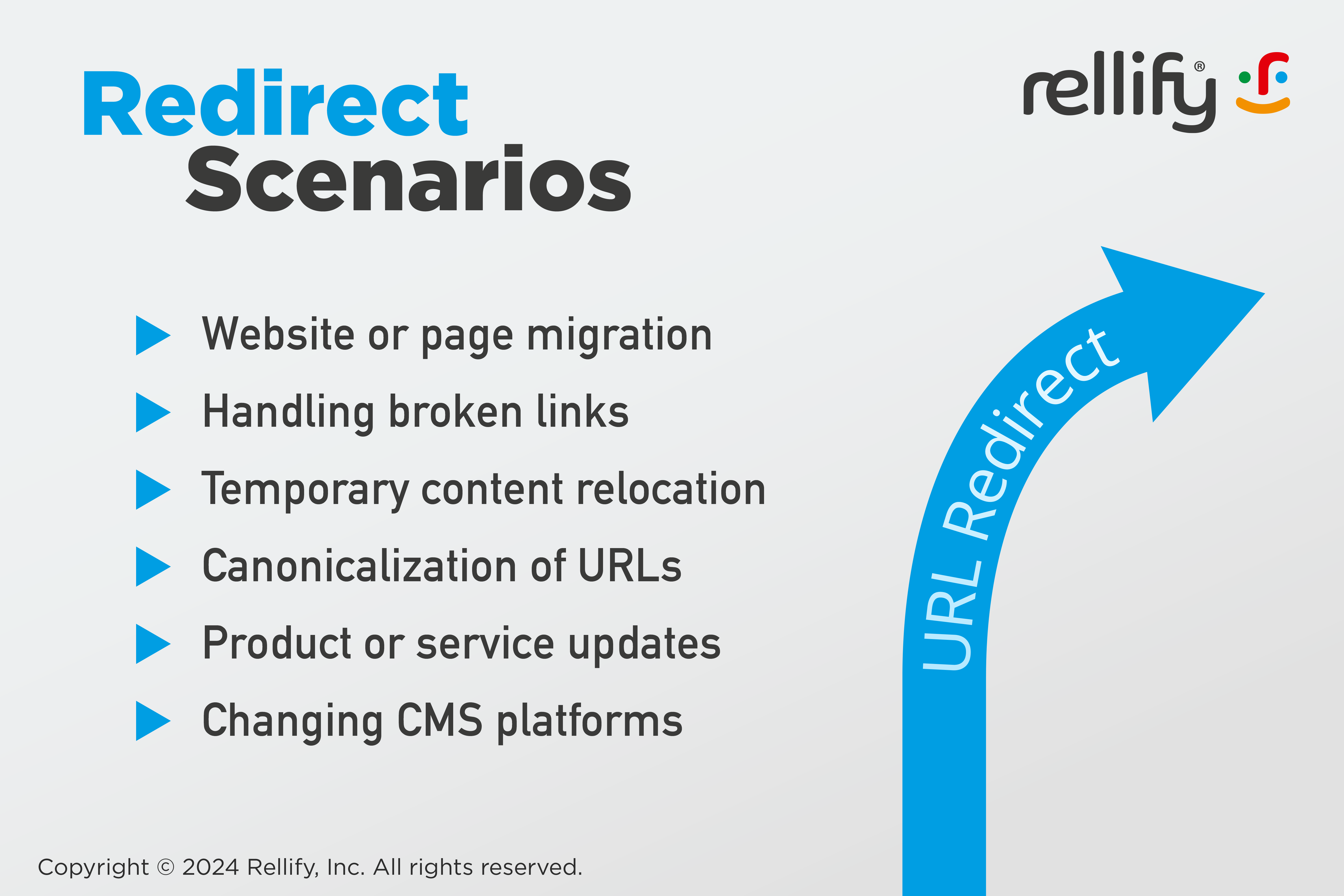
- Website or page migration. When moving a site to a new domain or changing the URL structure, redirects make sure users and search engines are directed to the correct pages. In case of merging two websites or domains, redirects are used to guide visitors from the old URLs to the appropriate content on the new combined site.
- Handling broken links. To prevent a poor user experience or a negative SEO impact from broken links, redirects can be used to lead users from outdated or non-existent URLs to relevant, active pages.
- Temporary content relocation. Redirects are useful for temporary situations, like website maintenance or A/B testing, where the original content needs to be temporarily moved or replaced.
- Canonicalization of URLs. When multiple URLs lead to the same content (e.g., due to www and non-www versions, or http and https versions), redirects can be used to guide all traffic to a single, canonical URL.
- Product or service updates. If a product or service is discontinued or updated, redirects can guide users from old product pages to the newest versions or related products. It can also help transition between marketing campaigns.
- Changing CMS platforms. When moving a website from one content management system to another, bringing a structural URL change, redirects would be necessary.
How to create a URL redirect
Identify the URL to redirect
Determine the old URL you want to redirect from and the new URL you want to redirect to.
Choose the type of redirect
Decide whether you need a 301 (permanent) or 302 (temporary) redirect based on the purpose of the redirect.
Access your web server or hosting control panel
- For Apache servers, access the .htaccess file.
- For Nginx servers, access the server configuration file.
- If you're using a content management system (CMS) like WordPress, access the redirect functionality (often available through plugins).
Write the redirect rule
For .htaccess on Apache:
Redirect 301 /old-url http://www.yourdomain.com/new-url
For Nginx:server { ... rewrite ^/old-url$ http://www.yourdomain.com/new-url permanent; ... }
For a CMS like WordPress, use the plugin interface to set the old and new URLs.
Test the redirect
After implementing the redirect, test it by visiting the old URL to make sure it correctly redirects to the new URL.
Monitor for errors
Check for broken links or redirect loops, and monitor your website's traffic and search engine rankings to see if the redirect is functioning as intended.
Impact of URL redirects on SEO
URL redirects significantly impact technical SEO. They influence how search engines index and pass link equity (also known as "link juice") to pages. A well-implemented 301 redirect effectively transfers the majority of the ranking power to the new URL, preserving the SEO value of the original page.
URL Redirect Best Practices
Avoid redirect chains
Try to avoid long chains of redirects (where one redirected URL leads to another, etc.). These can slow down page load times and dilute SEO value. Instead, aim to redirect directly from the original URL to the final destination.
Limit the use of redirects
While redirects are useful, if you use them excessively, it'll slow down your site and create complexity. Use them only when necessary.
Also, you should only use 302 redirects for temporary needs. Remember that these don't pass on as much SEO value as 301 redirects. Using them improperly can lead to SEO issues such as diluted link equity and confusion for search engine crawlers.
Regularly check and update redirects
Over time, some redirects may become obsolete or broken. Regular audits of your redirects can help identify and fix such issues, and make sure they remain effective and relevant.
Avoid redirect loops
Don't let your redirects inadvertently create loops. This is when a URL redirects back to itself, either directly or through a series of redirects. This can create accessibility and navigation issues for both users and search engines.
Update internal links
When you implement a redirect from an old page to a new one, update internal links throughout your site that point to the old page. This improves load times and user experience.
Communicate with search engines
When you move your site or make significant changes, inform search engines through tools like Google Search Console. This can help speed up the reindexing process.
Use canonical tags appropriately
Alongside redirects, use canonical tags to signal to search engines which version of a URL you want to appear in search results, especially if duplicate content issues are present.
Document your redirects
Keep a record of all redirects, including their purpose and implementation date. This documentation can be invaluable for troubleshooting and maintaining your site's architecture.
Use URLs to boost your SEO power
The power of URLs in the realm of SEO is often underestimated. URLs are far more than mere web addresses — they're critical tools in:
- Structuring a site
- Enhanging user experience
- Guiding search engine indexing
- Bolstering page authority
Ready to keep learning about how to strategically craft and implement URLs on your site? In the final installment of our four-part series, we'll cover how to troubleshoot common SEO issues like broken links and duplicate content.
Understanding the Importance of SEO-Friendly URLs
By Jayne Schultheis - This is the second part in our 4-part series on URLs and their relationship with search engine optimization. In this section, we'll look at how the URL structure is an important part of a broader SEO strategy.
- Part One: Unlocking the Power of URLs in SEO
- Part Two: Creating SEO-Friendly URL Structures
- Part Three: Understanding and Implementing URL Redirects
- Part Four: Troubleshooting Common URL Issues
Why do URLs matter?
URLs are your website's chance to make a good first impression on Google and other search engines. They give readers an insight into the value of your site and whether its contents will matter to them.
A URL is the address, or name, by which search engines and readers find your site and all it holds. Well-structured URLs with keywords used properly can significantly enhance a page's visibility and ranking in search results. SEO-friendly URLs can boost your site's click-through rates and engender trust in readers.
URLs are considered a minor ranking factor for Google. In general, SEO-friendly URLs help your site provide a positive user experience.
The basics of URL structure
URLs, or Uniform Resource Locators, serve as the web addresses for specific pages on the internet, guiding both users and search engines to the desired content. A well-structured URL typically includes a protocol (like HTTP or HTTPS), a domain name, and often a path that specifies the exact page or resource.
Static URLs vs. dynamic URLs
Static URLs and dynamic URLs represent two different approaches to web address structuring. Static URLs are fixed. There is only one path — one static URL — that will take you to each page on a site. Ideally, they're straightforward and easy to read, with a clear structure containing relevant keywords. This makes it easy for readers and search engines to find the content.
In contrast, some sites — particularly shopping sites — generate dynamic URLs that can take users to the same page through different paths. For example, shopping sites that allow users to select different filters to zero in on a product — color, size, price — use dynamic URLs. The dynamic URLs use different parameters and query strings to get users where they want to go.
While static URLs are generally preferred for SEO purposes due to their simplicity and stability, dynamic URLs are more flexible and can be beneficial for complex websites with constantly changing content.
Best practices for creating SEO-friendly URLs
Using keywords in URLs helps search engines quickly assess the content of the page. If you create a blog article on a particular focus keyword, use that focus keyword in the URL. After all, you want to rank first, or at least on the first page of organic results, in Google searches for that focus keyword. Tell Google that this article is relevant by putting the focus keyword in the URL — www.example.com/blog/focus-keyword. For users, a URL with clear and relevant keywords provides an immediate understanding of the webpage content. When usability and trust are secured, visitors are more likely to click or share the link.
Use lowercase letters and hyphens
Lowercase letters in URLs ensure consistency and avoid confusion, as URLs are case-sensitive in some servers. Hyphens, on the other hand, are favored over underscores or spaces, because they more clearly separate words. These make URLs easier to read for both users and search engines.
Avoid special characters and parameters
Special characters, like ampersands, percentage signs, and question marks, can create confusion for search engines and users. They often lead to crawling issues or misinterpretation of the URL's content.
Parameters, especially when used excessively, can result in overly complex and lengthy URLs. This can diminish their readability and effectiveness in search engine rankings, making it best practice to keep URLs clean and straightforward.
Also, try to avoid using dates in URLs for evergreen content. This prevents it from seeming outdated.

The impact of URL length on SEO
Shorter URLs are generally preferred by search engines. They're easier for users to read and remember, too. Remember, while brevity is important, it's also crucial to maintain descriptive clarity. The URL should effectively communicate the content of the page without being overly lengthy or complex.
The importance of a clean URL structure
A clean URL structure aids search engines in understanding and indexing a website's content more efficiently. It also enhances user experience by providing clear, intuitive, and easily navigable web addresses. Maintain a straightforward, keyword-relevant, and hierarchically logical structure. Users should be able to easily understand and predict the content of the page just from the URL. Clean URLs with user-friendly paths are also much more likely to be shared and linked back to.

Canonical URLs and their SEO benefits
When a site has duplicate content, a canonical URL is used to signal to Google which one to serve up in search page results. The URL contains a canonical HTML tag that tells search engines which URL version of a page should be considered the preferred version. This is important when there are multiple versions of a page that all have the same content but are accessible at different URLs. Using a canonical tag prevents the content of the page from being treated as duplicate content and diluting the search rankings across multiple similar pages.
Canonical URLs also help consolidate link equity and make sure that the search engine's focus and indexing power are concentrated on the most relevant and authoritative page.
How Google interprets SEO-friendly URLs
Google interprets SEO-friendly URLs as a important factor in understanding the content and structure of a website. These URLs aid Google's algorithms in efficiently indexing web pages and determining their relevance to search queries. This understanding plays a significant role in how Google ranks pages in search results, with clearer and more relevant URLs often receiving higher visibility and better search ranking positions.
URL examples
Now that we've looked at all the ways you can build a great URL, let's look at how a poorly structured URL compares to one that's well-structured.
Example of a URL with Poor SEO
http://www.example.com/products/item1?ref=349&type=2&session=9h4k
This URL is not SEO-friendly because it's vague, uses a series of unclear parameters (like ref, type, session), and doesn't include any descriptive keywords to indicate the content of the page.
Example of a URL with good SEO
http://www.example.com/outdoor-gear/trail-runners/mountain-explorer-3000
This URL is SEO-friendly as it clearly describes the content using relevant keywords (outdoor-gear, trail-runners, mountain-explorer-3000). It's structured hierarchically, making it easy for both users and search engines to understand the context and relation of the page to other content on the website.
Find out more about URLs
Wondering how to choose the best-possible URLs for your website? Check out the other installments in our 4-part series:
Creating SEO-friendly URL structures
We'll go into detail about best practices for structuring URLs, including the use of keywords, readability, and the avoidance of special characters and URL parameters when possible.
Understanding and implementing URL redirects
We'll explain different types of redirects (301, 302, etc.), their purposes, and best practices for preserving SEO value during website changes.
Troubleshooting common URL issues
The final piece in our series will cover frequent URL-related problems such as broken links or duplicate content issues. We'll also look at how to fix them to prevent SEO penalties.
Use URLs to Boost Your SEO Power
The power of URLs in the realm of SEO is undeniable and often underestimated. As we've explored, URLs are far more than mere web addresses — they're critical tools in:
- Structuring a site
- Enhancing user experience
- Guiding search engine indexing
- Bolstering page authority
Their role in SEO extends from the straightforwardness of site navigation to the complexities of link equity and keyword optimization. Anyone keen on mastering SEO must give URLs the attention they deserve. Stay tuned as we continue to unlock the hidden power of URLs.

Unlocking the Power of URLs in SEO: An Introduction
By Nora Firestone - In this first part of our 4-part series on URLs, we'll give you a broad overview of the role URLs play in your SEO strategy.
- Part One: Unlocking the Power of URLs in SEO
- Part Two: Creating SEO-Friendly URL Structures
- Part Three: Understanding and Implementing URL Redirects
- Part Four: Troubleshooting Common URL Issues
What are URLs?
People have been talking about URLs since the advent of the internet (some of us even remember that). But do you know what URL stands for and how they work?
URL is an acronym for Uniform Resource Locator. It's a specific address used to access resources on the internet, such as websites. It provides a way to retrieve a resource from a web server. The basic structure is:
- A protocol (like HTTPS)
- A domain name (like https://rellify.com)
- A path to a specific page or file on a website (https://rellify.com/article-intelligence-application/)
The role of URLs in SEO
URLs are crucial for search engine optimization (SEO) because they serve as more than mere web addresses. They're essential tools that search engines use to rank and index content. When created and maintained properly, they help search engines understand the relevance and structure of the content. Well-structured URLs with keywords can significantly enhance a page's visibility and ranking in search results.
Signal of relevance
Search engines like Google use URLs to decipher the content and relevance of a web page. They look for clear, descriptive, and keyword-rich URLs. So, for example, if you are creating a website for a shoe store in Pittsburgh, you would be better served by a domain name like "pittsburghshoes.com" rather than "thesoleprovider.com."
A well-structured URL not only informs search engines about the page's main topic but also helps in its categorization and indexing, thereby improving the page's visibility in search results. This relevance extends to the URL's structure, which delineates the content's hierarchy and connection with other pages on the same site, allowing search engines to build a comprehensive understanding of the site's overall content and its pertinence to specific search queries.
User experience
Clear and descriptive URLs give users an intuitive understanding of what to expect before they even click on a link. This transparency not only builds user trust but also improves navigation, as users can easily remember and manually enter such URLs. Aim for short, snappy and relevant. For example, there's no need to include the good old "www" at the beginning of a URL.

Good user experience (UX), in turn, is a crucial factor in SEO. Search engines like Google prioritize websites that offer a positive user experience. Websites with user-friendly URLs tend to have lower bounce rates and higher engagement rates, as users are more likely to stay and explore when they find the site easy to navigate and understand. These user behavior metrics are taken into account by search engines, contributing to better search rankings for websites that excel in providing a superior user experience.
Navigation and structure
URLs should be structured to represent site architecture. They effectively mirror the organizational structure of a website. By using a logical hierarchy in their URLs, websites can delineate the relationship between main pages and subpages. This helps search engines and users understand the layout and content grouping. This structured approach not only makes navigation more intuitive but also helps distribute page authority throughout the site.
Breadcrumb navigation
Breadcrumb navigation is a tool that helps users and crawlers understand a site's structure and easily find what they are looking for. It's named for the breadcrumbs that Hansel and Gretel left in the forest as a trail for retracing their steps. Breadcrumb navigation places a list (usually near the top of a web page) that shows the steps between that page and the site's home page.
For example, a merchant's website might have a main navigation bar across the top to show the major categories the site covers. If you are on a page for a particular type of woman's shoe, the breadcrumb under the main bar might say: Home > Shoes > Women's > Recreation > "Name of shoe (current page)." A user could click on any of those items to return to that part of the site.
It mirrors the URL structure of a website, providing a clear, hierarchical representation of the site's organization. The breadcrumb trail often corresponds to the URL, reflecting the path taken to arrive at the current page. The URL for our example would be pittsburghshoes.com/shoes/women's/recreation/platform-sneakers/. The integration of breadcrumb navigation with URL structure helps users and keeps them on the website.
At the same time, it can provide SEO benefits through clearer site hierarchy, keyword alignment, and effective internal linking. Google uses this to assess your content and may show the breadcrumbs in its search results.
Tracking and analytics
URLs can be strategically structured to help track the performance of online marketing campaigns by incorporating tracking parameters, known as UTM (Urchin Tracking Module) codes. These parameters, added to the end of a URL, help marketers track the source, medium, campaign, term and/or content that brought someone to the website.
By analyzing this data, marketers can precisely measure the effectiveness of their campaigns, such as email marketing, social media, or paid advertising. This helps them understand user behavior, campaign performance, and return on investment (ROI). Then, they can make data-driven decisions and fine-tune their marketing strategies for better outcomes.
The evolution of URLs and SEO
As search engine algorithms have evolved, the role of URLs in SEO has become more sophisticated. Initially, URLs were seen only as a way to locate a website or page. However, modern search engines now scan URLs for keyword relevance, structural clarity, and user-friendliness. In fact, URLs are a minor ranking factor for Google.
Algorithm updates have also made it more important for URLs to be clear, descriptive, and reflective of the page content. These updates have also diminished the impact of keyword stuffing in URLs. They shift the focus toward creating more natural and informative URLs.

Importance of consistency and standardization
Maintaining a consistent URL structure is crucial when updating or redesigning a website because it preserves link equity (or link juice) and search engine rankings. Changing URLs can lead to broken links and lost backlinks, which are vital for SEO. Links signal to search engines the credibility and authority of a website.
Consistency in URLs ensures that you retain your existing equity and ranking. Users and search engines can access the site without encountering errors or redirects, thereby maintaining the site's SEO strength. We'll expand on this further in "Creating SEO-Friendly URL Structures."
Overview of the upcoming articles
We're producing a 4-part series that takes a deeper look at the connection between URLs and SEO, and how to best implement a strategy. Stay tuned for the next installments:
Creating SEO-Friendly URL Structures
We'll go into detail about best practices for structuring URLs, including the use of keywords, readability, and the avoidance of special characters and URL parameters when possible.
Understanding and Implementing URL Redirects
We'll explain different types of redirects (301, 302, etc.), their purposes, and best practices for preserving SEO value during website changes.
Troubleshooting Common URL Issues
The final piece in our series will cover frequent URL-related problems such as broken links or duplicate content issues. We'll also look at how to fix them to prevent SEO penalties.
Use URLs to Boost Your SEO Power
The power of URLs in the realm of SEO is undeniable and often underestimated. As we've explored, URLs are far more than mere web addresses — they're critical tools in:
- Structuring a site
- Enhancing user experience
- Guiding search engine indexing
- Bolstering page authority

How to Design a User Experience That Brings Real Results
By Dan Duke - Ready to design a website that intuitively engages your users? It's all about user experience (UX). Read on for tips and tricks that will take your UX design to the next level.
User experience and usability
We have made it to the final one of our four pillars of modern search engine optimization (SEO). Here are all four for a quick reference:
- Step 1: Technical SEO
- Step 2: Domain Authority
- Step 3: Relevance
- Step 4: User Experience and Usability
By this point in the four-part series, your website should be well on its way toward visibility in the search engines. But even if your technical SEO is spot on, your domain authority is at the top of the charts, and your writing covers relevant topics, if your webpage is difficult to use, you are not going to get the results you want.
So read on to learn all about creating a high-quality user experience so you can make sure your customers have positive interactions with your brand.
What is user experience?
UX, or user experience, refers to how a user interacts with a specific app or website. So UX designers aim to create an interface where each aspect of someone's experience on a website or app works intuitively.
A great user experience design will have a coherent, well-structured flow of buttons and clicks and often doesn't draw attention to itself at all. Instead, it provides a space to showcase the intended brand, increasing purchases, social shares, brand awareness, or whatever the desired result for the company.
UX designers give visual definition and structure to the ideas, articles, or products in a website.
Most of the time, end-users see only the graphics and visuals of the user interface. But a high-quality UX design begins with step-by-step plans and flow charts that help to craft the content.
What are the components of user experience?
To get a better sense of user experience, it's helpful to break it down into specific parts. These five aspects of UX all work together to comprise a high-quality experience. Each plays a vital and complementary role in establishing the overall user experience.
Information architecture
Information architecture or IA refers to the organization of the content within a webpage. It's the basic blueprint of UX and the backbone of your website. Whereas visual design refers to the components of a website that the user sees and engages with, IA encompasses the flow of information under the surface.
Two different visual designers could take the same IA components in dramatically different directions, so the UX designer needs to make sure all design elements align with the brand's overall vision for its website or app.

1. Interaction design
How will users interact with a website or app? A good interactive design considers both the goals of the platform itself and those of the intended users. It then merges those two, so users get whatever they need from the platform they're visiting.
Interaction designers often use wireframing to organize the key components of their project to make sure the ideas from the website are well-organized.
2. User interface design
User interface or UI design is another subset of UX and interaction design. It primarily refers to the graphic design of the interface. Basically, what does your website/app look like? Whereas interaction design focuses more on the overall flow of a user on an interface, the UI consists primarily of what the end-user will see. In a sense, it's the opposite of the information architecture because a website's UI is completely visible to users.[/vc_column_text][vc_column_text]
3. Visual design
What does your overall brand esthetic look like? Is it easy to look through with a clean and simple design, or is it overly cluttered and complicated? When designing a website, aim for a clean UX design that lets your content shine through.
Visual designers consider the overall brand identity and intended users in their projects. So they incorporate specific colors, patterns, and shapes to create the right look. So the visual design of a baby clothing company would have a vastly different look than one for a medical technology firm.
It might seem counterintuitive, but a hallmark of good visual design is that it doesn't draw attention to itself. If websites were paintings on a wall, the design would be the frames, not the paintings themselves. Most of the time, great visual design is easy to use and relatively uncomplicated.
4. Usability
When new users come to your site or app, are they able to answer your call to action without much interference? Do they have positive encounters from this experience? Is it easy for them to click where they're supposed to click? When designing a product, you need to consider these factors as part of the overall usability.
Are users able to navigate your website without using the help desk? A website with good usability indicates that all of the other UX components work well together.
How can UX be measured?
Companies can use countless metrics and analytics to measure the quality of their UX. Still, before we get into those details, it's helpful to define your top objectives for your website. Do you want to increase brand awareness? Improve your relationships with customers? Drive more sales? Make sure you start with your main guidepost first, and then you can hone in on the UX metrics to make sure you're achieving your goals.
That said, here are a few of some commonly used UX metrics for web pages. To have maximum results, focus on the results most relevant for your brand.
User experience metrics to test before the launch
Testing your new website or app against these metrics before you launch a new design can greatly impact its overall success. It's much better to identify problems with a small testing group than it is to wait until you've launched your product to the masses. That way, you can rework any elements of your design before users can get a bad first impression.
- Task success rate: Do users do what they're supposed to? If they're supposed to "click here," are they able to accomplish that type of simple task?
- User error rate: If users have difficulty completing simple tasks like entering their name and address, it might be time to rework your UX design. You want the UX experience to be relatively seamless for users.
- Time spent to complete a task: How much time do users take on specific tasks? Faster times usually indicate simpler UX.
- Search vs. navigation: In an easy UX design, the navigation should lead users where they want to go, so they don't need to use the search button as often as the navigational tools. This ratio will vary significantly depending on the website or app, however. For example, many people come to a shopping site with a specific purchase in mind. In those cases, specific searches might generate more sales.
- System usability: A system usability scale consists of 10 questions where testers can let you know how easy or difficult it was to use your website or app. If you receive a low score, it might not be a bad idea to improve usability engineering.
User experience metrics to consider post-launch
If you're pretty confident that you've worked out your UX kinks in testing, and your product's ready to go, here are additional indicators of a positive user experience.
- Conversion rate: After someone comes to your site, how likely are they to follow your call to action or make a purchase? The higher the conversion rate, the better your UX.
- Net promoter score: How likely are users to recommend your site and services to others? Better UX means better scores and more social shares -- and future customers.
- Retention rate and satisfaction: How happy are users after they visit your website or mobile app? Are they referring your site to friends and family and coming back as repeat visitors?
Why good user experience matters
If a user has a great experience on your website or app, they'll come back and tell their friends about your brand.
A user-friendly website that's pleasing to the eyes and easy to navigate will help you generate the results you want. As a result, you'll generate more high-quality leads and reach more people. Excellent UX, along with technical SEO (part 1), domain authority (part 2), and relevance (part 3), will propel you to the top of search engine results.
Mastering SEO techniques
Thank you for following our series on modern search engine optimization techniques. We hope our insights will put you on the road to success, and your content achieves page 1 rankings.
If you need assistance or feel like you're not seeing the results you want from your web performance, be sure to contact Rellify for a consultation. Our expert teams will work with you to ensure your website connects with the right audience and you see the results you want.

Relevance - Connect With Your Audience for Real Results
By Jayne Schultheis - While technical SEO and domain authority are both crucial components to a high-performing website, they're not enough. You need to reach the right audience with your content, and that's where relevance comes into play.
At this point in the series, you're probably familiar with the four pillars of search engine optimization and how they work together to help your website achieve maximum results on search engine results pages (SERPs).
- Step 1: Technical SEO
- Step 2: Domain Authority
- Step 3: Relevance
- Step 4: User Experience (UX) and Usability
These four pillars work together toward optimizing your website, but relevance can sometimes seem to be the most elusive. If you're able to master this area of SEO, you'll see significant gains in your web performance.
What is relevance?
Quite simply, relevance refers to how important or "relevant" a keyword or phrase might be to your article or audience.
When content marketers research a topic, they'll see a seemingly endless supply of keywords, questions, and other potential things to include. But which of these terms provide relevant information, and which ones don't actually matter?
For example, suppose you're writing an article on tea. Keywords could include terms like tea sandwiches, cookies, cream, sugar, herbal, green tea, and antioxidants. If you are a food blog writing about how to host the perfect high tea, you'll want to include the first few terms. In contrast, if you're writing on the health benefits of tea, the latter terms will provide more relevant content for your audience.
How do you write relevant articles?
Before you can write relevant articles, you first need to identify your objectives and your target audience and hence your context. What types of search results will compel someone to click on your content? Ask yourself relevant questions like:
- What do I want to accomplish with my article?
- Who am I trying to (inform, persuade, direct) with this writing?
- What does that audience really care about?
- How can I connect with them in a meaningful, relevant way?

After you make a mental checklist of those things, think about the topics that might interest your audience. How can you create articles that provide the greatest possible value to your readers?
Most of the current search tools have limitations in relevance since they'll often analyze data based on top-performing articles on Google in a category like the tea example above. If you don't have a clear sense of your objectives in your writing, you might get several terms that aren't necessarily the right context for your work.
That's why platforms like Rellify are so beneficial to assist in boosting the relevance score of an article. Its unique blend of machine learning and expert analysts work together, ensuring you produce relevant content for your intended audience.
Why is relevance important for successful SEO?
Search engines like Google want to provide value to their users. So they want the best, most relevant results to appear at the top of your search results. The more you search for terms on Google, the more they'll make in ad spend.
So if Google determines that your content has the right words and information that your audience is looking for, it will move you to the top of the organic search results. Your domain authority isn't quite as high as you'd like. But with relevant articles, you can often leapfrog over your competition in the rankings by providing high-quality content your readers will click on.
You might even boost your domain authority with relevant articles. High-quality articles in relevant categories will spur social shares and links to your excellent work.
The connection between relevance and links
In an ideal world, the best, most relevant articles will also rise to the top and receive recognition and links from other sites. But this dynamic isn’t always the case.
You can’t control who links (or doesn’t link) to you, but you do have control over which sites you link to from your page. All links aren’t created equal. Be sure that you are linking to relevant content that provides value to your users. At the same time, make sure the page you’re linking to isn’t too similar, so you don’t inadvertently raise their relevance while hurting yours.
Some content marketing teams actively pursue backlinks by sending emails to domains that have published similar content. But this whack-a-mole approach often isn’t the most effective use of time, as the response rate is only about 8.5%. If you opt for that approach, be deliberate in the sites you contact, making sure they’re relevant and quality domains.
While links can increase your article relevance, focus on writing quality content to a targeted audience. Then, you’ll almost certainly increase your domain authority, links, and Google rankings. You’ll notice an increase in all of the additional content performance metrics that will help you drive relevant results to your business.
Write relevant articles with rellify
We all want to connect with our target audience in meaningful ways. But given the vast quantities of data, filtering out irrelevant results can challenge even the most seasoned content marketer. That's why the technology and team at rellify can provide you with all the tools you need to write the best articles for your audience.
rellify's expert analysis within the appropriate categories will empower you to write the articles your audience wants to read. You'll get to the top of SERPs in the right categories without paying for ads.
On top of that, rellify's team of writers, analysts, and editors ensure that your article isn't just optimized. They’ll make sure it will resonate with your audience, so it delivers the results you need.
Preview – Step 4: User Experience and Usability
Now that you have a strong foundation in technical SEO, domain authority and relevance for your website content, it’s time to think about creating a user experience (UX) that brings you the results you need. So keep reading the series for more great insights on how to create content that not only achieves Page 1 rankings, but also compels your audience to take action.
Contact rellify today to learn how you can create better, more relevant articles that generate the type of web traffic you need for maximum growth.

Domain Authority: Why It Is So Important for Successful SEO
By Nora Firestone - Only websites that stand out from the mass become visible to their target audience through online searches. In this article, we’ll explain why domain authority is an important factor for web pages getting seen.
First, a quick recap: Targeted search engine optimization is based on four pillars. If all four are executed properly and maintained well, the odds of your content performing well increase dramatically.
- Step 1: Technical SEO
- Step 2: Domain Authority
- Step 3: Relevance
- Step 4: User Experience (UX) and Usability
This is the second article of our four-part series in learning how to get your content to the top of Google organic searches. We’ll take a deeper look into an often underestimated element — Domain Authority.
Domain Authority
Domain Authority (DA) is a search engine ranking score developed Moz, a provider of SEO tools. It indicates how likely a website is to rank on search engine result pages (SERPs). A Domain Authority score can range from 1 to 100 with higher scores corresponding to a greater ability to rank. For example, Wikipedia.org has a domain authority of 94 and Facebook.com is scored at 96.
Why domain authority is important
While Moz gives a simple estimate for domain authority, Google's methodology for ranking websites is much more nuanced.
Though it's not a ranking factor, the authority of your website in the eyes of Google can influencehow well you can rank in search engine results. Google wants to provide reliable information and results. This means that the more authority you have, the more potential you have to attract customers through organic searches.
If Google doesn’t consider your website important, you will rarely make it to the top of search engine results for your target keywords. Thus, improving your reputation and buildingtrust with search engines should be important factors in your SEO strategy.
How Google determines the authority of a website
SEO practitioners have long debated how Google measures the authority of a website. In the search engine world, authority depends primarily on how much credibility your website has built up online. This doesn’t mean that Google simply picks and chooses which websites it deems credible. According to Moz, 21% of Google’s ranking algorithm depends on “link authority characteristics.” This is the number of links to a domain and the quality of those links. Additionally, 19% depends on page-level link characteristics, that is, the number of links to a particular page. However, it's important to note that this research is from 2013. Google has obviously changed its algorithms quite a bit. Search engines are pretty protective about their exact methodologies for weighing factors that determine authority. They don't want to make it easy for marketers to subvert the algorithm!

Still, one of the most important factors in your site’s authority is the quality and quantity of links it gets from other sites, known as "referring domains."
Search engine authority vs. user trust
Many marketers believe that the authority of their website is influenced by how trustworthy their visitors think it is. While it’s certainly valuable to have a website that users trust, their perception has nothing to do with Google’s evaluation of your authority.
A website’s authority is determined by the search engines themselves and essentially indicates how much weight they give to a particular website. A website can only reach users if it is “important” enough to rank well. Presenting a certain level of authority on a topic is what makes this possible.
Trust, on the other hand, is determined by individual users and refers to how much users can relyon a website’s information. While user trust does not directly impact rankings, it can influence behavior metrics like click-through rate (CTR) and dwell time.
Search engines determine how trustworthy your website is based on the following criteria:
- How many incoming links, or backlinks, your website has. If your website has many links from other credible and reputable websites, search engines can determine that your website is also reputable.
- How established your website is. As a general rule, the older the website, the higher its authority.
Users determine how trustworthy your website is based on the following criteria:
- Your reputation. If you have been in business for a long time and have a good reputation, users may trust the information on your website. The strength of brand recognition, not just among your customer base, but also your competitors, is not to be underestimated.
- Your reviews. Lots of positive testimonials prove that your business has satisfied customers, clients, or partners. Don't be afraid to ask them for a quote you can feature on your website.
- Your posts. Lots of high-quality content shows that your company is an authority in your industry. Keep a good cadence to your posting schedule. It shows users that your company is actively growing, if not in size, in knowledge and expertise.
- Your reliability. How much can visitors can rely on your site for quality and accurate information?
5 ways to improve domain authority
We'll start with the bad news. There is no shortcut to making your website authoritative. It will take at least a few months before you get the results you want. But there are a few things you can do to help your site climb the ladder to high authority faster.
1. Write high-quality content
Quality content shows your visitors and other big players in your field that you're a trustworthy expert. But there's more to quality content than just having accurate information. Google’s job is to give its users the best answer possible. Part of providing the best answer is shedding new light on a topic and not giving users the same tired information they’ve already heard (we're looking at you, ChatGPT). Your content should be unique to your site and offer visitors something new.
The key to creating fresh quality content is to focus on topics that relate to your area of expertise. Not only will you know the topic's background, but users will trust you to provide them with accurate information. You should also use as much detail as possible if you want your content to be considered high quality. Long-form content can help you get more traffic, page views and rankings. Therefore, it pays to go into as much detail as possible on topics where you are an authority.
Most of the content you create should be on “evergreen” topics, meaning topics that will still be relevant in the years to come. There’s nothing wrong with writing content about your company’s newest feature. But evergreen content is much more likely to attract visitors for many months or years — rather than just a week or two.
2. Provide a great user experience
If you have a site structure that is difficult to navigate, it will be difficult for Google to rank it as authoritative because it doesn’t provide a great user experience. Use a clear navigation bar and a sitemap so that your users can easily find their way around your website.
Another user experience factor is page loadingspeed. It should be at the top of your website goals. Internet users live in a world where they expect immediate results to their requests for information. If your pages take more than 2 seconds to load, you should definitely work on improving your speed. Otherwise, users are likely to bail out from your site.
3. Employ a link-building strategy from authoritative sites
As we mentioned earlier, links are the most important factor in determining authority. There are a few ways you can build them from quality sites. The first is to cultivate relationships with leaders in your industry. When you reach out to bloggers, news editors, and other influential people in your industry, you can offer to write original articles or submit other content like infographics or research. When they publish this content on their websites, they will use backlinks to your company as a source, thus your authority and trustworthiness will increase.
Be careful not to get caught in cheap link-building schemes that seem too good to be true, though. Stick to collaboration with reputable resources that have a meaningful connection to your brand or industry.
4. Link to credible sites
It would be nearly impossible to explain every topic in detail on your website, right? But you still want to be a pillar of authority and a resource of valuable knowledge. It is important to link to other credible sites that users can click on to get more information. A moderate number of links can help direct users to other resources that might help them. But be careful — using too many links can make your text difficult to read. And the "quality" of these external links is crucial to your perceived authority, too. When you insert a quality link to a site, you're associated with a site that has good information on the topic. If you link to a site with low domain authority, the fact that you vouch for that information could be questionable to search engines like Google.
You should also avoid linking to an external page if you have an internal page on your own site that you could link to.
5. Use social media to generate traffic and establish your brand
Like many marketers, you may think that the more pages your website shares on social media, the more Google would consider your website authoritative. However, this is not entirely the case. In general, social media is not used as a ranking factor. There's no way Google could crawl every tweet or Facebook post. Using incomplete data could skew rankings and Google obviously doesn’t want that.
While social media is not an important factor in your authority, it can help indirectly with other authority-related goals. You can use socialmediato build relationships with industry leaders (e.g. win them as followers for your company). Later, you can use those relationships to build equity that has a direct impact on your authority.
Social media is also a great place to build brand awareness visibility. So, by building connections with industry leaders, promoting your brand, and generating traffic, you can slowly get more high-authority sites to link to your site.
How long does it take to see an improvement?
As we said earlier, it won't happen overnight. But you might still be wondering, generally, how long it takes before your website becomes recognized as an authoritative resource so you can start climbing the SERP rankings. Review the steps we have covered, and that can give you some idea of whether your site needs quicker fixes or long-term efforts. It can range anywhere from several weeks to several months. There are simply too many moving parts and contributing factors to know the exact timeline.
Building relationships with high-profile people takes time, especially the kind of valuable relationships you need to get links from their websites. It also takes time to prove that you are providing trustworthy and accurate information that is worth linking to.

High authority sites don’t award links without careful thought and consideration. Be prepared to invest a lot of time reaching out to editors and bloggers before any of them are willing to link to your site.
How do you regain lost domain authority?
Certain signals can indicate you're getting some negative hits on your website’s authority, thus diminishing its ability to rank high in SERPs. Fortunately, it’s very unlikely that you have destroyed your website’s authority to the point of no return. If your website authority takes a nosedive, there are several ways you can regain your previous rankings.
You should first start by removing allbadlinks that lead to 404 error pages.
Make sure all your outbound links are high authority websites that provide valuable information to your visitors — and are not broken links.
In general, a holistic, adaptive strategy when it comes to SEO will be your best resource. Here at Rellify, we work diligently with clients to make sure that every single aspect of their content strategy works towards the larger goal of achieving higher rankings on search engines and gaining more customers. Whether you're just not sure where to start or you need a full-scale content overhaul, Rellify's expert content services can help.
Preview – Step 3: Relevance
OK, so we've covered technical SEO in Part 1 and now domain authority in this article. In Part 3 of this Rellify series, we describe how to write relevant content that will be rewarded by Google in search results. Then, check out Part 4 on the importance of the user experience.

Technical SEO: How to Rank on Page One in Search
By Dan Duke - Ranking on page one in Google search results is vital. As today's users rarely view beyond the first search engine results page (SERP) presented to them, only those websites that stand out amid the masses of search results can achieve visibility. Even via paid search engine advertising (SEA), it’s increasingly difficult to achieve this.
Fortunately, paid SEA isn't the only option. Companies can still rank high in organic search, i.e. without advertising, through search engine optimization (SEO) of their websites and content. If all four critical pillars of SEO are well maintained and optimized, the relevance of a site and its content increases automatically. Google rewards this with a corresponding ranking. In this series on "How to Rank on Page One in Search," we'll explain in four steps how to increase your potential to achieve this, starting with technical SEO. Collectively, the articles can help you to create the best conditions for your content to earn enviable rankings in organic search:
- Step 1: Technical SEO
- Step 2: Domain Authority
- Step 3: Relevance
- Step 4: User Experience (UX) and Usability
Note that while we'll refer to Google often, the general principles apply for other search engines as well.
What is technical SEO?Technical SEO is about technical optimization of site architecture, structure, content and more to help search engines and website users in three ways.
- Crawlability. Ensuring your site can be read by search engines.
- Indexability. Setting up your pages and their content to be logically and effectively indexed to appear in SERPs.
- Site performance. This pertains to the technical details that improve your website's ability to please, retain and, ideally, convert users. Critical factors include page and site speed, responsiveness and other drivers of a positive user experience (UX).
Consider technical search engine optimization as the foundation for page-one search rankings to help you focus effectively on first things first.
How to improve your website's technical SEO
The realm of technical SEO is vast and complex, and numerous factors play integral and integrated roles. Prioritizing the most impactful elements of technical SEO in website design, development and management can help boost your ability to rank higher and compete online.
Start by addressing these basic but vital components to improve technical SEO site-wide.
1. Check and improve your page and site speed
The speed at which a website or page performs any given function — from loading content to responding to user-initiated interaction — influences the user experience, for better or worse.

Using analytics tools like Core Web Vitals, web masters can identify and diagnose page and site performance issues based on key performance indicators and metrics. CWV's metrics include:
- First input delay (FID). FID measures the time delay between a user's interactivity with a page and the site's applicable response. (According to Google, Interaction to Next Paint (INP) will replace FID in March 2024.) To ensure a good user experience, the page should measure an FID of no more than 100 milliseconds.
- Largest contentful paint (LCP). LCP measures the loading performance of the largest contentful element on the screen. Aim for a loading speed of within 2.5 seconds to provide a respectable user experience.
- Cumulative layout shift (CLS). CLS measures the visual stability of elements on the screen. Strive for a CLS of no more than 0.1 seconds.
Google’s page experience signals combine Core Web Vitals with other search signals, including mobile-friendliness, safe browsing, HTTPS security and intrusive interstitial policies.
These and other ranking factors can be measured within reports inside Google Search Console to reveal which URLs have potential problems. We use CWV to help power our one-click analysis with integrated recommendations for entire websites within the Rellify Article Intelligence application. Tips for optimizing site speed include:
- Implement lazy loading for non-critical images.
- Optimize image formats for the browser.
- Improve JavaScript performance.
2. Crawl your website to detect and address crawl errors
While common and preventable, crawl errors are a frequently overlooked issue that can pack a punch to SEO. Crawl errors occur when a search engine tries to reach a page on a website but fails. If the page isn't reachable, it's not indexable.
Crawl errors can occur for different reasons, and they can easily go undetected, potentially costing you valuable traffic and business.
Fortunately, it's easy to get ahead of the issue. Simply crawl your pages on a regular basis and check for errors in need of attention. A number of free SEO tools exist for this purpose. These analytics also exist inside Google's Search Console platform.
When probing and addressing crawl errors, be sure to:
- Evaluate all the 4XX (400 series) and 5XX (500 series) error code pages to determine where to redirect them.
- Look for redirect chains or loops by which URLs redirect multiple times to another URL.
- Implement all redirects correctly using 301 (permanent) redirects.
3. Fix broken internal and external links
Poor link structure can cause a bad user experience for both humans and search engines. It can be frustrating when a user clicks a link and discovers that it leads to an incorrect or non-existent page. It can also create dysfunction for robots attempting to crawl and index your site. Both scenarios work to undermine your collective SEO efforts.
The concept applies to both internal links (links back and forth among your own web pages) and external links (links between your website's pages and others sites' pages). Pay attention to the following factors and how they may be either enhancing or degrading your site's overall link structure:
- Links that are redirected to another page via 301 or 302.
- Links that lead to 404s or other error pages.
- Orphaned pages (pages that are not linked to at all).
- An internal link structure that is too deep.
To fix broken links on your site, either update the target URL or remove the link if the destination page no longer exists.
Analytics tools can help you discover other websites that contain external links to your pages. For any in need of attention, it's appropriate to contact those companies or their web masters with your request to fix or remove them.
4. Avoid duplicate content issues
Periodically audit your website for duplicate content, which can exist for a variety of reasons. For example, duplicate content issues may arise from scrapped or copied content or following replication of pages from faceted navigation when multiple versions of the site are live.
Here's how to correct or prevent duplicate content matters:
- If feasible, delete or revise duplicate content as appropriate.
- Implement noindex or canonical tags to dictate which remaining duplicate pages to ignore or prioritize, respectively.
- Set up 301 redirects to the primary version of a given URL. If, for example, your preferred version is https://www.abc.com, the other three versions should 301 redirect to that version.
- Set up parameter handling in Google Search Console.
5. Migrate your website to HTTPS protocol
Hypertext transfer protocol secure (HTTPS), the secure version of HTTP, has become a technical SEO rankingfactor. HTTPS protects your visitors’ data in the exchange between their web browser and your website. The protocol uses secure sockets layer (SSL) technology to ensure that sensitive information is encrypted to help prevent hacking or data leakage.
Nothing can fully guarantee data security online, as cyber criminals are relentless in their destructive pursuits. But if your website still relies on HTTP, you may be putting yourself and your site visitors at risk unnecessarily.
6. Make sure that your URLs have a clean structure
Straight from the pages of Google, “The URL structure of a website should be as simple as possible.
”Overly complex URLs can cause problems for crawlers by generating an unnecessarily high number of URLs that link to identical or similar content on your site. This can prevent search bots from fully indexing all the content on your site. The issue might involve:
- Sorting parameters. Some large shopping sites offer multiple ways to sort the same items, resulting in a much higher number of URLs. For example: http://www.example.com/results?search_type=search_videos&search_query=tpb&search_sort=relevance&search_category=25
- Irrelevant parameters. For example, reference parameters: http://www.example.com/search/noheaders?click=6EE2BF1AF6A3D705D5561B7C3564D9C2&clickPage=OPD+Produkt+Seite&cat=79
If possible, clean up and shorten your URLs by trimming unnecessary parameters.
7. Make sure your website has an optimized XML sitemap
Sitemaps are files that webmasters can create and submit to tell search engines about web pages they would like crawled and indexed for SERPs.
Note, though, that while sitemaps make it easier for search engines to discover and index content, they do not guarantee indexing or influence ranking directly. Search engines use complex algorithms to determine which pages get indexed and how they are ranked. As one of many signals they use to understand site structure and content, a sitemap is simply a recommendation tool to assist in this.
The XML sitemap format is the most versatile type, allowing for expanded information about your content. For each page, this can include such details as when the page was last updated, how often it changes, and how important it is in relation to others on your site. Done well, an XML sitemap helps search engines more successfully and intelligently crawl a website.
An optimized XML sitemap should include:
- The absolute URL for each page.
- Any new content added to your site (recent blog posts, products, etc.).
- Only pages that return an HTTP 200 response status code.
- No more than 50,000 URLs/pages. For sites with more pages, create multiple XML sitemaps to cover them all.
An XML sitemap should not include:
- URLs with parameters.
- URLs that reference redirected pages or those with canonical or noindex tags.
- Pages that return a 4XX or 5XX response status code.
- Pages that contain duplicate content.
Check the index coverage report in Google Search Console to discover and fix any existing index errors related to your XML sitemap.
8. Optimize your robots.txt file for appropriate access, crawling and indexing
Robots.txt files provide certain instructions for Googlebot and other search engine robots on how to crawl your website. Anything you want to be found in searches should be made easily accessible to them for indexing.
Include the location of your XML sitemap in your robots.txt file and make sure that your robots.txt file does not block pages that you want found by the public.
Pages that are blocked by robots.txt generally won't be accessed by search engine crawlers and therefore won't be indexed to appear in SERPs. Many websites intentionally block access to certain pages and files to prevent them from being made publicly visible. Examples include:
- Temporary files.
- Shopping cart and checkout pages.
- Password-protected pages.
- Admin pages.
- URLs containing parameters.
- Pages to remain hidden or private for any number of other reasons.
You can use Google’s robots.txt tester to check if your file is working correctly.
9. Add structured data or schema markup
Structured data helps provide information about a page and its content. It gives Google context about the importance of a page and helps your organic listings stand out in SERPs. One of the most common types of structured data is called schema markup.
There are many different types of schema markup for structuring data about people, places, organizations, local businesses, reviews and more. Check out Google's free tools for testing your site's structured data and generating schema markup.
10. Incorporate responsive design
Mobile-first indexing is a significant ranking factor, therefore mobile friendliness should be considered a critical aspect of technical SEO.
Mobile friendly websites count on responsive design to create a more custom and enhanced UX for visitors accessing your website from various mobile devices. It accounts for the same performance elements that apply to optimizing websites for desktop and laptop computer use, but certain specs differ. Glean critical insights about mobile friendly site performance via your website's Core Web Vitals metrics.
Beyond technical SEO: the significance of quality content and traffic
Securing a spot on page one of Google search results is a notable achievement. And technical SEO is the foundation that allows search engines to crawl, index and understand your website and its content in that pursuit.
But this is only part of the equation for online success. High rankings can drive initial traffic, but not all traffic is quality traffic.
Quality traffic refers to visitors who are genuinely interested in your products, services or content and are more likely to engage with your site and take desired actions. Your ability to drive and retain quality traffic will depend not only on your technical SEO but also on the quality of your content.

Content quality pertains to the value, relevance and how well it resonates from the perspectives of your target audience. In fact, it's a critical ranking factor informed by Google's own helpful content system, which rewards content that delivers a satisfying UX.
Ultimately, the quality of your content will influence your rankings, your traffic and your site's ability to convert visitors into customers. Even with perfect technical SEO, poor content will not rank well. Contact Rellify today to see how we can combine human expertise and AI to accelerate and improve the quality of your content creation.
Next stop: Domain Authority
In the next article in our four-part series on page-one ranking, we'll cover how to demonstrate and build domain authority to enhance your site's relevance and credibility in the online marketplace.

How to Identify and Overcome Content Marketing Challenges
By Jayne Schultheis - Nearly every content marketer strives to produce quality content that creates brand awareness, loyalty, and engagement. But we all face marketing challenges that make it harder to reach target consumers. Fortunately, with the right strategy and tools, you can overcome the roadblocks and realize impressive content-performance results. Read on to learn how to anticipate common digital marketing challenges and gain tips on connecting with consumers.
What is the biggest marketing challenge?
In the United States alone, companies spent a staggering $297.5 billion on advertising in 2021, but an estimated 40% of digital media spending is wasted. The most obvious challenge for marketers is simply connecting the intended message with the right target audience. In addition, many companies have trouble creating content that's engaging. You want prospective customers to interact with your marketing efforts in meaningful ways, not train their eyes to avoid your banner ad. Your message needs to drive conversions that generate new business and customer retention.
What problems do content creators face?
There's no shortage of issues to tackle when planning a content strategy as part of your marketing efforts. Whether you're working with B2C brands or toward B2B lead generation, your content marketing strategy is about driving conversions. There are several traps you can fall into as a content creator. Here are a few of the worst:
Lack of clear objectives
What are you trying to accomplish with your marketing strategy? What KPIs matter for your company, and how are you measuring performance? The best way to break down this concept is with a metaphor.
- If the goal is to increase organic traffic to your brand's website, think of this as your destination.
- The vehicle to get there is content marketing.
- The engine that powers content marketing is your content strategy.
- The ROI for your engine-powered vehicle is measured by the increase in average monthly visitors to the website over an established time in your content strategy.

Misunderstanding the target audience
Who is your customer base? What do they want or need? How can you help? The product-market fit remains a crucial challenge for many content creators, whether they're creating a B2C or B2B marketing strategy. Content marketing success requires understanding different buyer personas within the complex ecosystem of individuals who prefer to consume their content differently. You can only fully understand the disparate preferences of your audience when you put in the effort. Go deeper than just establishing their age, gender, goals or interests. To truly connect with individual buyer types, think about building multiple buyer personas. Then create different types of compelling content to reflect this diversity.
Bad content
The content creation process takes time and effort. You get what you pay for when it comes to attracting talent, especially with external agencies. Content creators can be their own worst enemies when they take shortcuts by producing sub-par articles. The endeavor to create high-quality content on deadline is one of the biggest marketing challenges that businesses face. It shouldn't just be search-engine optimized (SEO) but also clear, concise and compelling. Search engines and consumers alike want to see thought leadership in engaging content. This means that you express ideas that demonstrate your expertise in your particular field, area or topic. Keyword research is essential — but more important is understanding the context of these keywords within a content landscape. Good content production is dependent upon understanding who your target is. Better content production depends on understanding the context surrounding the target customers' searches. What do they need to see in order to believe in you or your brand as a trusted expert?
Not promoting their content through the proper channels
For example, consider an elaborate paid promotion like a Google Ads campaign. While this can get you great placement for a while, it's not ideal for maintaining top positions on results pages. Inevitably, the rules will change, the algorithm will update, and you'll lose your target customers (unless you pay for promotion). Since most businesses have limited resources, you'll want to be picky about how you approach the content distribution process. Don't spend more; spend more wisely.
Neglecting their current customer base in favor of new leads
Engaged customers refer others to helpful websites, generating more traffic and stronger leads organically. Ignoring your core audience when crafting your next content creation idea can cannibalize your brand. Focus on trends that are working for your current customer base, and those people will help bring in new leads.
What are the challenges of delivering content digitally?
Several of the concerns already mentioned especially apply to digital media. The rise of social-media channels has drastically shifted the marketing landscape over the past decade. And today, many clients only receive content through digital channels. So marketers must think more creatively than ever to connect with their target audience. In 2021, social media influenced an estimated 71% of consumer buying decisions. Since these interactions often result in a shorter-than-average customer journey, brands don't have as much time to make a substantial impact. Cutting through the clutter of the sheer quantity of social-media content can also frustrate many marketers. Social media is also known for its fast-paced nature, especially with trends. The appeal of "going viral" minimizes the perceived value of well-crafted, sustainable services, content and products. Keeping up with trends on social media is exhausting. Companies often lose their momentum when their message gets lost in the sea of paid ad campaigns. Customer success can be another challenge in the digital age. The business value of talking to clients and customers in person has long been proven among traditional marketing strategies. But in the modern market, the concept is often overlooked in favor of digital customer interactions. Acustomer-support team dealing digitally with consumers must prioritize their clients' satisfaction, particularly within their existing customer base. That leaves less human bandwidth for human interaction.
What are the biggest content marketing challenges today?
The rise of digital marketing has presented many content marketing challenges industry-wide. It's not enough to invest in creating compelling content. You need a quality content marketing strategy to ensure a great ROI. Your intended audience needs to read or consume what you’re creating, but first, they have to find it. For instance, a good blog post alone isn’t enough to compel your audience to take action. Your audience might not even be able to find you if your long-form content isn't optimized for search engines. Likewise, it's not enough to create a quality infographic these days. It must be labeled with the appropriate SEO terms to land at the top of search engine results pages (SERPs). You need a focused marketing strategy, effective SEO, and an understanding of Google Analytics, content marketing campaigns and content trends. You also need to invest time and effort into topic ideation.
That will ensure that you're writing the type of content your audience wants to read. Pull from lots of digital resources so your content doesn't get lost in the universe of Google and competitors' content.
What kind of challenges does the shift to content marketing produce for brands?
According to a 2021 Semrush survey, about 84% of their responding B2B and B2C companies had a content marketing strategy. But only 11% considered their strategy to be an excellent one. So even though content marketing matters, crafting an effective strategy is no easy task! For starters, it's expensive to assemble a strong team that's competent across multiple digital channels. Many other factors are involved in running an effective content marketing strategy. A company needs people with SEO expertise, social-media competency, email marketing knowledge, and a solid analytical mindset to home in on the target market. Finding and training an effective team can present a challenge for many content marketers. Finding the right content marketing platform can also be problematic. Investing in content creation alone costs a lot of money. Then businesses often must shell out more for content management platforms and content calendars. Despite platforms offering helpful solutions, ensuring a strong content marketing ROI is a complex task. If your team needs a quick jumpstart, here are a few tips to help you recenter in line with the proverbial North Star.
Four steps to overcome content marketing challenges
Every marketing team will have a unique content marketing challenge. If you find yourself in a rut, here are a few basic steps to get you back on track.
- 1. Identify a clear, consistent message. What are you trying to sell? How are your words resonating with your audience? You may know the product or service like the back of your hand. The key is communicating it well. Avoid unrealistic expectations about your audience and their familiarity with the industry or products. Your message needs to be clear, concise and consistent.
- 2. Make sure your branding is cohesive. That way, people will easily identify your company and know who you are. You'll also create a positive customer experience with each piece of marketing content they encounter.
- 3.Know your audience. This also means looking for the right channels where your audience spends their time. These should be useful and relevant platforms where you'll promote your content and generate leads.
- 4. Identify key performance indicators (KPIs). Measure the results so you know what's working and what's not. Prioritizing the most strategic plans will help you make informed business decisions.

What are the future challenges of content marketing?
With so many mediums and marketing channels, fragmented consumer attention remains a growing challenge. It takes a while to see results in your content ROI. These results can also be difficult to measure as the content trends change rapidly. So how can you make sure that your blog or other published content gets the attention it deserves? This fundamental question will remain one of the most crucial content marketing challenges in the years ahead: How can people discover what you’re doing and be a part of it? If you’re feeling overwhelmed by digital uncertainty and new challenges, you’re not alone! There will always be new demands on content marketers to effectively deliver the best possible message to the right audience. That’s why the rellify platform and team of content marketing experts have been crucial in helping customers experience marketing success. rellify provides quality tools and expert services to ensure that content connects with a relevant audience, even in the fragmented digital age. We work with clients to identify business goals and develop a content strategy that takes their blogging or content marketing efforts to the next level. Existing customers have noticed extraordinary results in their search-engine placement, click-through rates and customer acquisition. Are you ready to join the ranks? Contact rellify's sales team to learn how to upgrade your marketing strategy and begin attracting and keeping customers.